pacman::p_load(rstatix, gt, patchwork, tidyverse, webshot2, png)Week 4: In-class Exercise
Load packages and dataset
exam_data <- read_csv("data/data_04/Exam_data.csv", show_col_types = FALSE)Quantile-Quantile (Q-Q) Plot
Q-Q plots are used to check for normality of data. The points should fit close to the straight line if the variable in question is indeed normally distributed.
In this case, we are checking if ‘English’ scores are normally distributed:
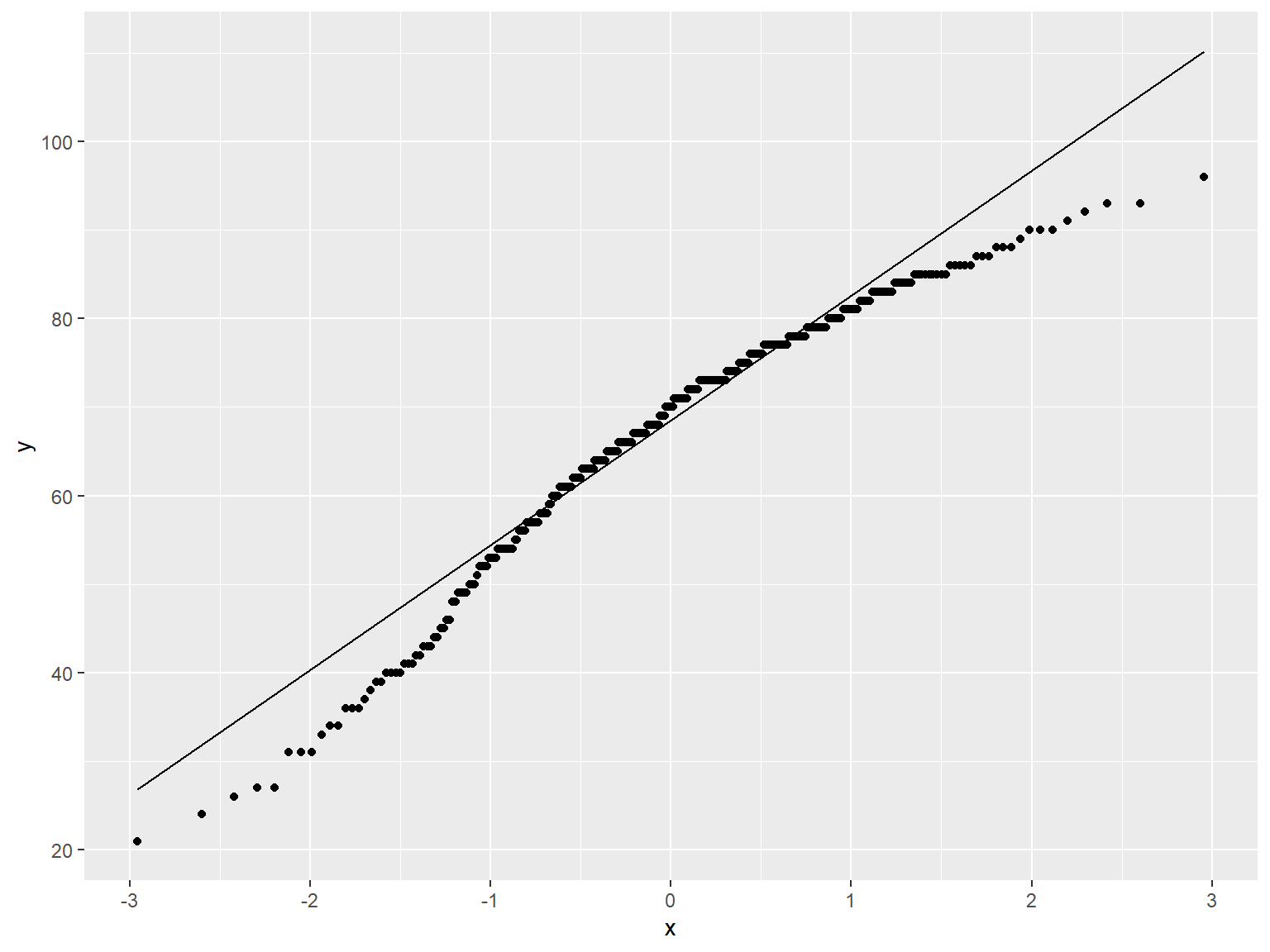
ggplot(exam_data,
       aes(sample = ENGLISH)) +
  stat_qq() +
  stat_qq_line()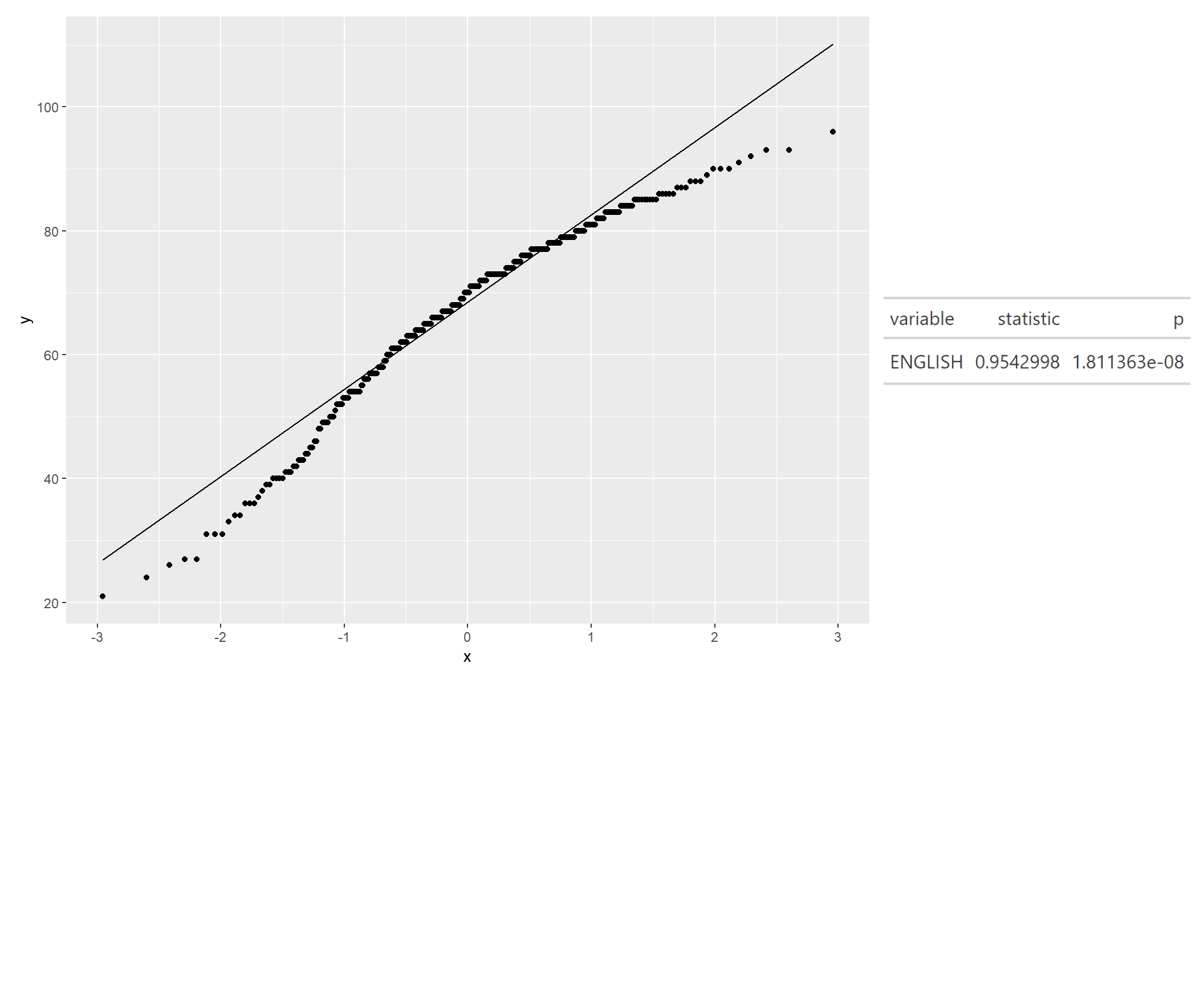
qq <- ggplot(exam_data,
             aes(sample = ENGLISH)) +
  stat_qq() +
  stat_qq_line()

sw_t <- exam_data %>% shapiro_test(ENGLISH) %>% gt()

tmp <- tempfile(fileext = ".png")
gtsave(sw_t, tmp)
table_png <- png::readPNG(tmp, native = TRUE)

qq + table_png