Rows: 322 Columns: 7
── Column specification ────────────────────────────────────────────────────────
Delimiter: ","
chr (4): ID, CLASS, GENDER, RACE
dbl (3): ENGLISH, MATHS, SCIENCE

ℹ Use `spec()` to retrieve the full column specification for this data.
ℹ Specify the column types or set `show_col_types = FALSE` to quiet this message.
ggiraph is a ggplot2 extension that can allow plots to become interactive. Three arguments are accepted:
Tooltip
Onclick
Data_id
Its usage will be demonstrated via the example code chunks below.
Elements associated with a certain data_id will be highlighted when your cursor hovers over a data point with that data_id. In this example, this was achieved in addition to the tooltip aesthetic (that will display the data_id).
Onclick aesthetic
onclick can be used to hyperlink to other websites on the Internet.
Note the additional column created in the dataset exam_data called onclick that specifies the javascript to open a window with the given URL. This is necessary to make onclick work!
Coordinating between two plots
patchwork can be used with what we have learnt today as well! The two plots will show the data points with the same data_id upon cursor hover:
d <-highlight_key(exam_data[c('ID', 'CLASS', 'GENDER', 'RACE', 'ENGLISH','MATHS', 'SCIENCE')]) p <-ggplot(d, aes(ENGLISH, MATHS)) +geom_point(size=1) +coord_cartesian(xlim=c(0,100),ylim=c(0,100))gg <-highlight(ggplotly(p), "plotly_selected") crosstalk::bscols(gg, DT::datatable(d), widths =4)
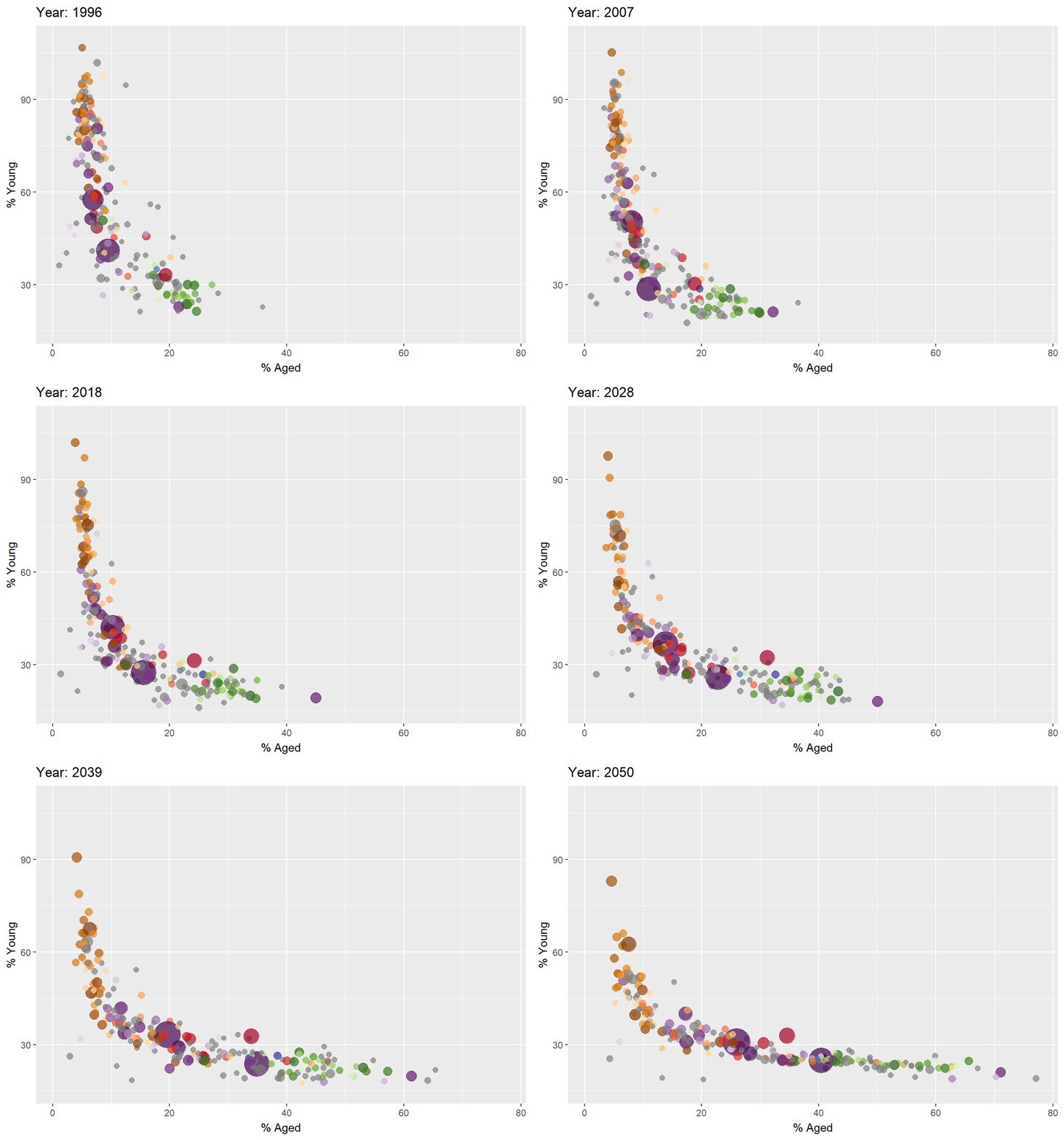
Basics of animation using gganimate
Some terminology associated with animated plots:
Frame: In an animated line graph, each frame represents a different point in time or a different category. When the frame changes, the data points on the graph are updated to reflect the new data.
Animation Attributes: The animation attributes are the settings that control how the animation behaves. For example, you can specify the duration of each frame, the easing function used to transition between frames, and whether to start the animation from the current frame or from the beginning.
Importing data
col <-c("Country", "Continent")globalPop <-read_xls("data/data_03/GlobalPopulation.xls",sheet="Data") %>%mutate_each_(funs(factor(.)), col) %>%mutate(Year =as.integer(Year))
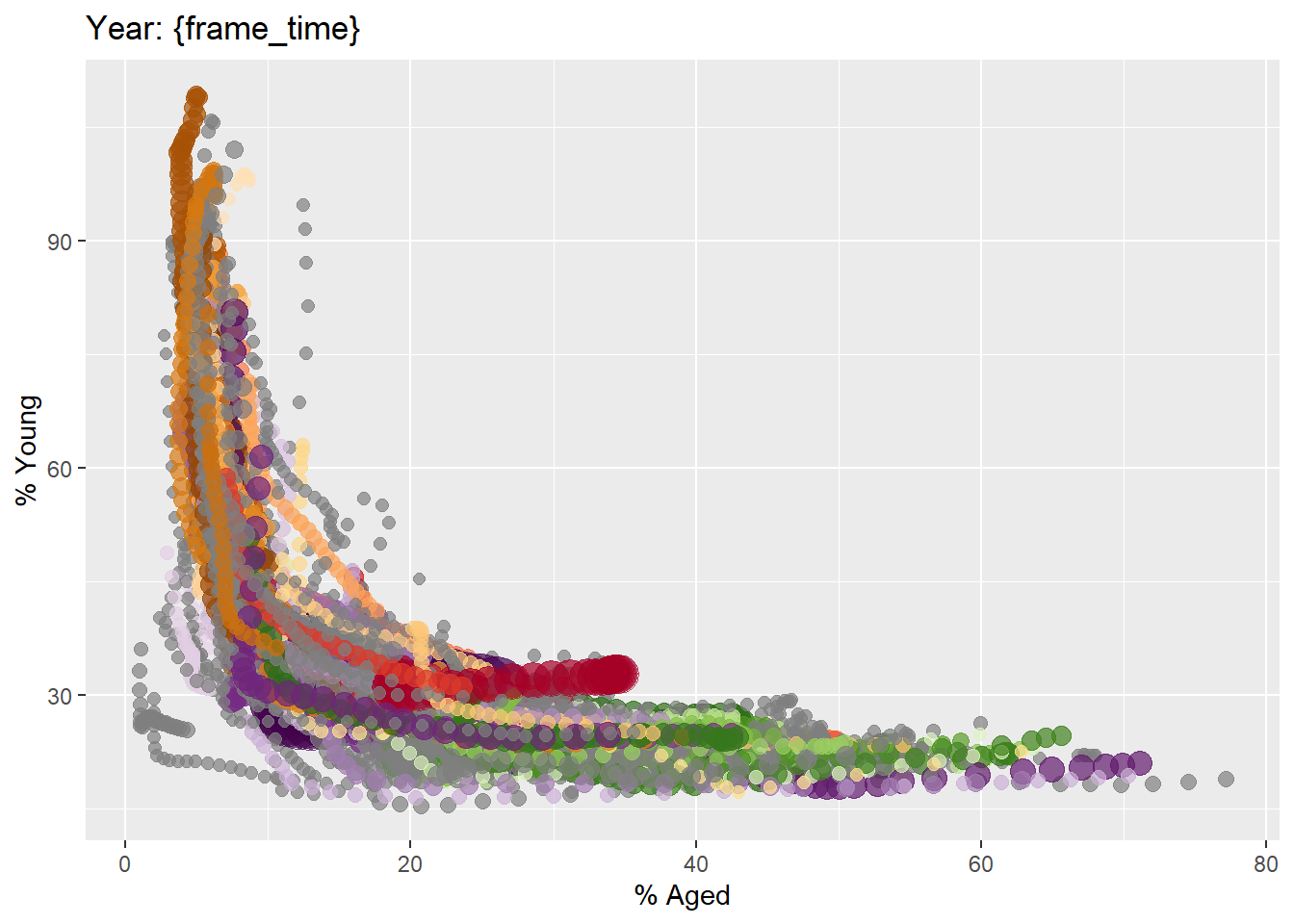
First, we create a static bubble plot using our data: